Search results
Configure DataStore Settings
This section explains how to configure the DataStore settings for storing extracted data from data sources.
DataStore is an intermediate database used to store imported data from web data sources and statistic files, with a scheduled refresh option to update data.
NOTE: This feature is available in On-Premises Deployment but not in Smartlife Managed Cloud Server.
Database configuration
We can connect to the existing SQL Server instance with the following options:
- New Database
- Existing Database
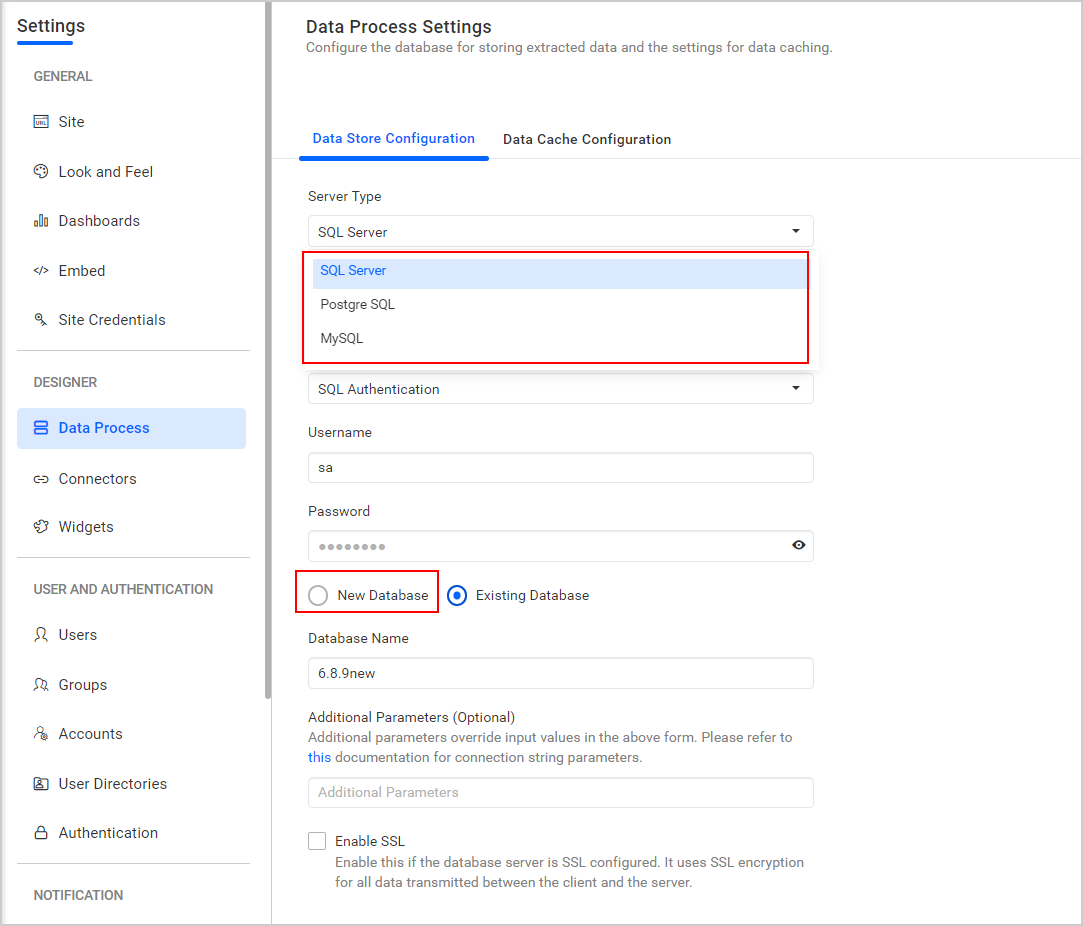
New database
- In this method, a new database is created to store the extracted data sources and files.
- Select server type, enter the server instance name, credentials, and choose the
New Databaseoption. - Enter your database name and click the
Savebutton.
Existing database
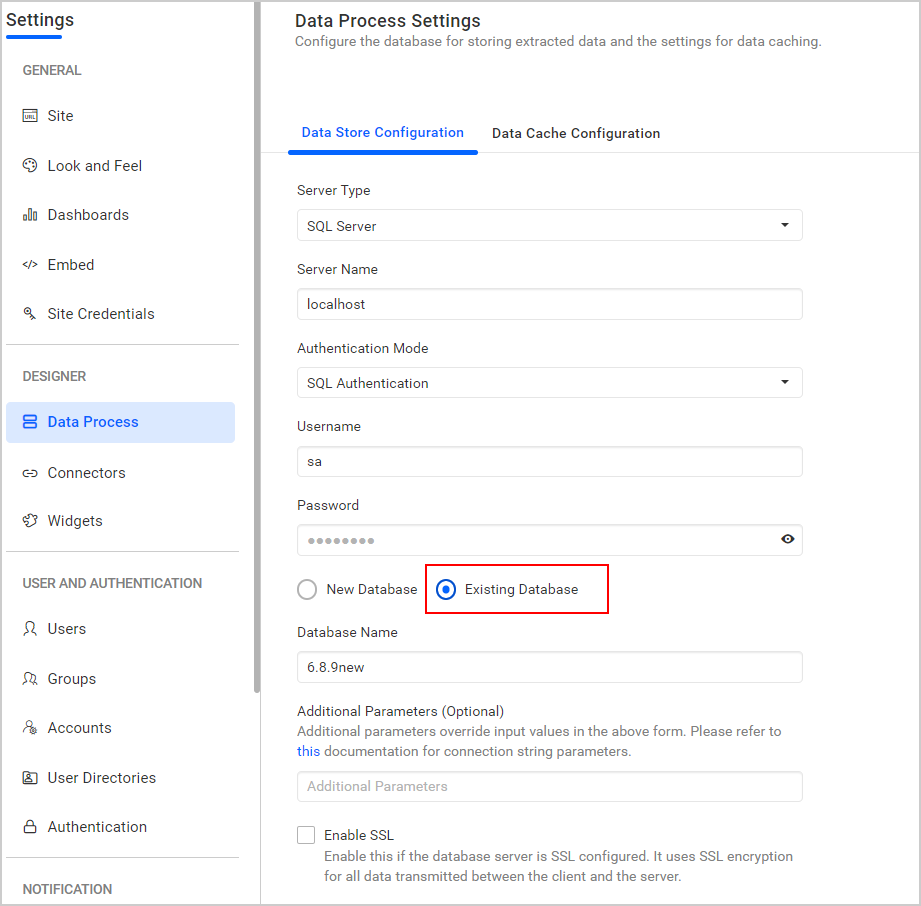
- In this method, an existing database is used to store the extracted data sources and files.
- Select server type, enter the server instance name, credentials, and choose the
Existing Databaseoption. Select a databasefrom the drop-down menu to create Data Store tables in that database, then click theSavebutton.
NOTE: The credentials given to connect to the SQL Server instance must have permissions to:
- Create Database
- Create Table
- Insert
- Update Table
- Alter Table
- Select
- Drop Table
- Drop Database
Thank you for your feedback and comments.We will rectify this as soon as possible!